

Website Ownership Checklist for Domains, Hosting, GA4, GSC, GBP, and Google Ads Accounts
Your business assets need to be under your control, for real. Building your online presence on platforms where someone else holds the keys is asking for trouble. We see too many businesses hand over access to their domains, hosting, and data without thinking twice about the consequences, or even worse, having someone else create these for them without sharing permissions.
We strongly recommend you take ownership of everything: your domain registration, hosting accounts, Google Analytics 4, Google Search Console, Google Business Profile, and Google Ads. These aren’t just technical details. They’re the foundation of your online presence.
When you control these assets directly, you’re not at the mercy of a third party who might disappear, hold your data hostage, or simply make a costly mistake. We’ve put together this checklist to help you verify ownership across your entire setup.
Run through each item carefully. If you find gaps, address them now rather than later.
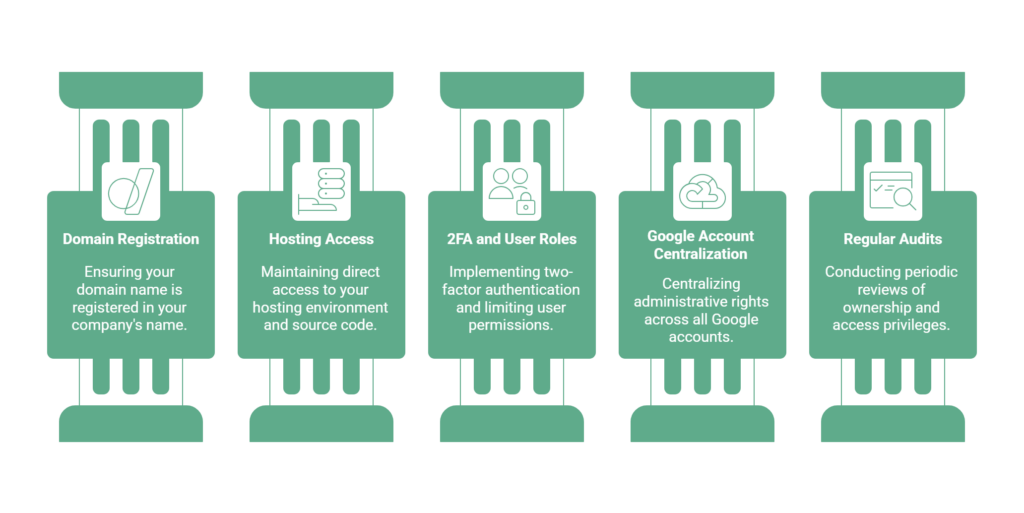
Register the Domain in Your Own Name
Register the domain in the business’s name and keep the registrant and recovery contact details current. Maintain access to the registrar account, enable renewal reminders or auto-renew where appropriate, and verify the payment method.
Transfer rules vary by extension and registrar; some domains have waiting periods after registration or a prior transfer. Check the relevant rules before planning a move.
Secure Direct Access to Hosting and Source Code
Keep authorized administrative access to your hosting account and website, and document who controls the domain, software licences and assets. The access available varies: managed hosting may not provide server-level SSH, SFTP or root access.
Agree on source files, licence rights, backups and a migration plan. Test a restore or export with the destination environment; an import may overwrite an existing site and compatibility is not automatic.
Enforce 2FA and User Role Limitations
How well do you control who accesses your accounts? We strongly recommend enabling two-factor authentication (2FA) across all platforms. It’s the gold standard for secure organizations.
We don’t grant full access without good reason; by limiting admin permissions to essential functions only, we make sure team members can only access what they actually need. We also suggest monitoring admin activity to catch unauthorized changes quickly. Review user roles regularly and remove access for anyone who no longer needs it.
Centralize Admin Rights for Google Accounts
We recommend centralizing administrative rights across all your Google accounts, including Analytics, Search Console, and Ads. Fragmented permissions put your security at risk.
Here’s what we recommend:
- Limit administrative access to internal stakeholders
- Create specific protocols for modifying user roles
- Schedule periodic audits of all permission levels
- Remove former employee access from all accounts immediately
Secure Master Account Ownership
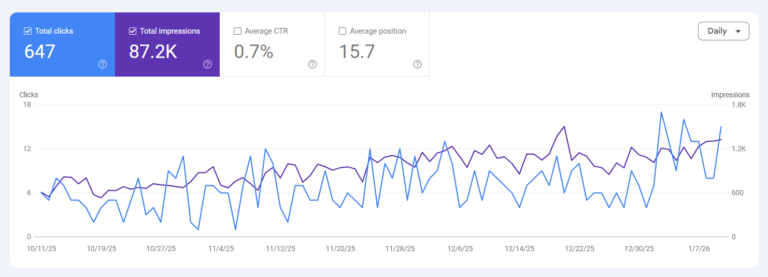
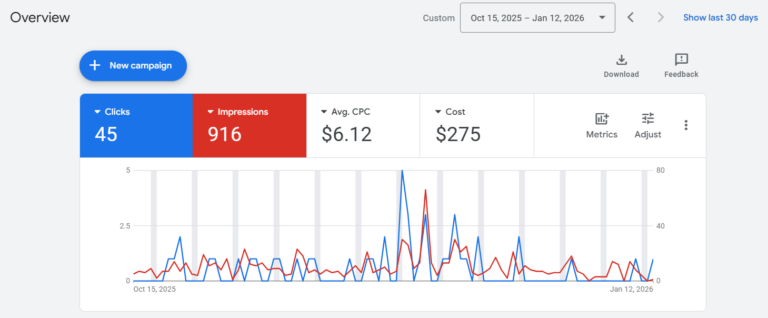
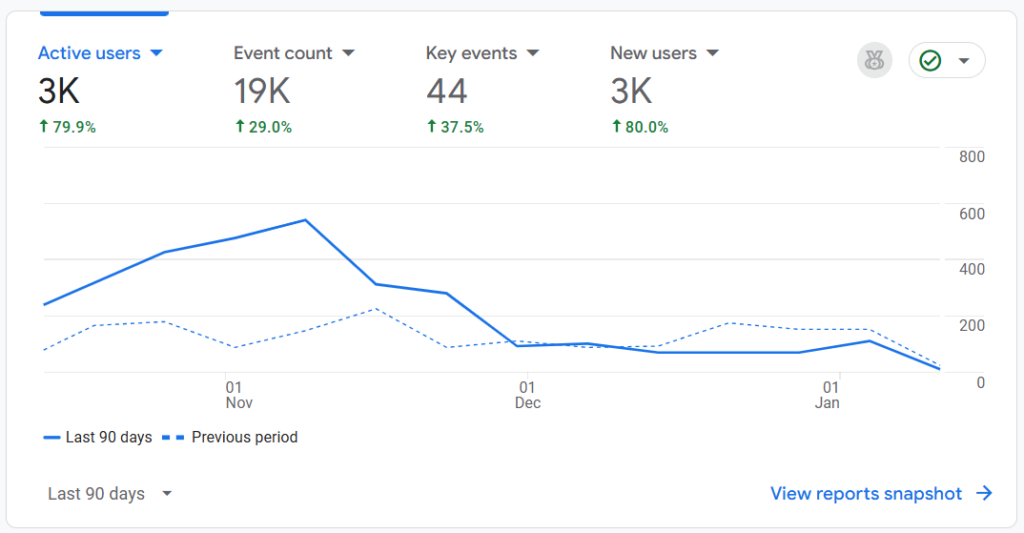
Keeping primary ownership of your Google Analytics 4, Search Console, and Ads accounts is non-negotiable for long-term security. We always register the main login under your company’s name, never through a third party.
When working with external partners, we set up delegated access and grant only the permissions they actually need. This keeps your sensitive data protected while still allowing collaboration.
Claim Your Google Business Profile
Your Google Business Profile is often the first thing customers see when they search your name, and it should belong to your business, not to whoever set it up. Make sure the profile is claimed under a Google account your company owns, and check who is listed under owners and managers in the profile settings.
When an agency or freelancer helps manage your listing, they should be added as a manager, never as the primary owner. If your profile was created by a previous provider, Google has a request process for reclaiming it, and it is far easier to sort out while you are still on good terms.

Schedule Regular Ownership and Access Audits
Review domain registration, hosting and administrator access regularly:
- Verify the registrant and renewal contacts.
- Confirm appropriate hosting and website access, and test a backup or restore.
- Review access to Analytics, Search Console, Business Profile and Ads.
- Remove access that is no longer needed and update recovery contacts.
Document where each account is managed and who can help with recovery or handover.
Frequently Asked Questions
To link GA4 with Google Ads, head to your Admin settings and connect the two accounts directly. A significant portion of ad spend can go to waste without proper tracking, so we follow integration best practices to give you full visibility and control over your data.
To implement GA4 on your website, we set up a proper data layer and configure your tag manager correctly. We make sure you’re capturing all the data that matters for your business.
Google’s linking process requires the appropriate Analytics property role and Google Ads administrative access. Check Google’s current instructions and confirm that the business retains access to both accounts.
Once linked, review the settings and decide which data and eligible key events should be shared.
After linking, eligible Analytics key events can be used to create conversions in Google Ads. Review the settings and reporting before using them for bidding.
Attribution is not exact and can include modeled data. Compare reports with qualified enquiries and sales where possible.
Not Sure What You Actually Own?
We run ownership audits for businesses across Surrey and the Lower Mainland: domains, hosting, analytics, ads, and everything in between, documented and put back in your name. If any answer in this checklist made you pause, that is worth a conversation.