

Website Ownership Checklist for Domains, Hosting, GA4, GSC, GBP, and Google Ads Accounts
Your business assets need to be under your control, for real. Building your online presence on platforms where someone else holds the keys is asking for trouble. We see too many businesses hand over access to their domains, hosting, and data without thinking twice about the consequences, or even worse, having someone else create these for them without sharing permissions.
We strongly recommend you take ownership of everything: your domain registration, hosting accounts, Google Analytics 4, Google Search Console, Google Business Profile, and Google Ads. These aren’t just technical details. They’re the foundation of your online presence.
When you control these assets directly, you’re not at the mercy of a third party who might disappear, hold your data hostage, or simply make a costly mistake. We’ve put together this checklist to help you verify ownership across your entire setup.
Run through each item carefully. If you find gaps, address them now rather than later.
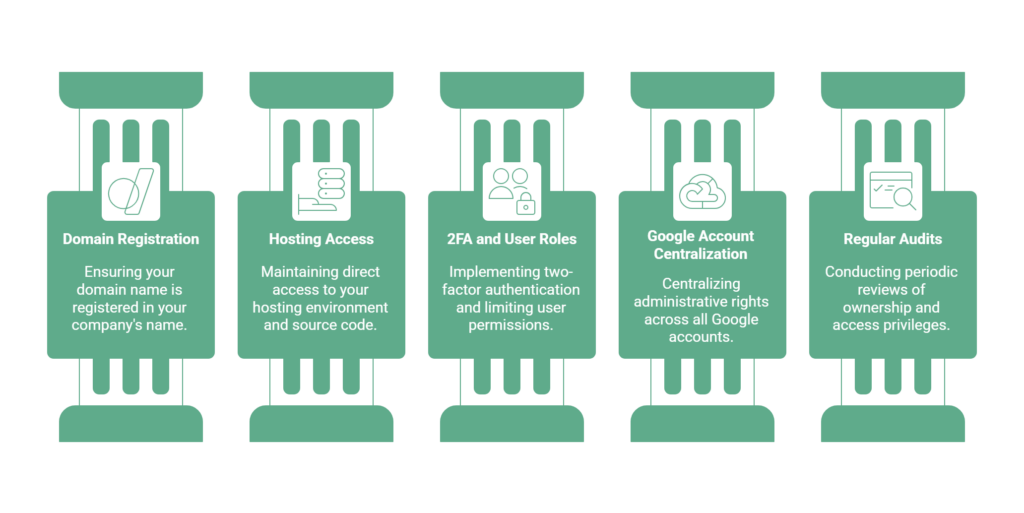
Register the Domain in Your Own Name
We register your domain name directly in your company’s name from the start. Your organization is always listed as the registrant, never a developer or agency.
We avoid restrictive discount registrars that can limit your rights. To prevent lapses, we recommend locking in a ten-year term, and we also prioritize transfer rights so you can move your domain whenever you need to. We don’t hold assets on your behalf; we make sure they belong to you from day one.
Secure Direct Access to Hosting and Source Code
If you don’t control your hosting environment and source code, you don’t truly own your website. Real independence means having access to your server through SSH and SFTP, but sometimes that can be overwhelming. Ensuring you have a login to your hosting account, that it is under your name, and that you have full admin rights is a must.
Don’t accept proprietary compiled code that limits your future options; insist on full ownership of the raw source files. When working with external hosting providers, protect your root access and share it only with people you trust. We help you set up proper access controls over your CMS configuration, keeping you free from vendor lock-in. For our WordPress clients, we give them a full website export from All-In-One Migration, which allows for an EASY import and override to any WP website should it be needed.
Enforce 2FA and User Role Limitations
How well do you control who accesses your accounts? We strongly recommend enabling two-factor authentication (2FA) across all platforms. It’s the gold standard for secure organizations.
We don’t grant full access without good reason; by limiting admin permissions to essential functions only, we make sure team members can only access what they actually need. We also suggest monitoring admin activity to catch unauthorized changes quickly. Review user roles regularly and remove access for anyone who no longer needs it.
Centralize Admin Rights for Google Accounts
We recommend centralizing administrative rights across all your Google accounts, including Analytics, Search Console, and Ads. Fragmented permissions put your security at risk.
Here’s what we recommend:
- Limit administrative access to internal stakeholders
- Create specific protocols for modifying user roles
- Schedule periodic audits of all permission levels
- Remove former employee access from all accounts immediately
Secure Master Account Ownership
Keeping primary ownership of your Google Analytics 4, Search Console, and Ads accounts is non-negotiable for long-term security. We always register the main login under your company’s name, never through a third party.
When working with external partners, we set up delegated access and grant only the permissions they actually need. This keeps your sensitive data protected while still allowing collaboration.

Schedule Regular Ownership and Access Audits
Running periodic reviews of domain ownership, hosting access, and admin privileges helps you stay in control. We recommend building these checks into your regular processes:
- Verify domain registration details match your corporate records
- Confirm you have exclusive root access to your hosting environments
- Review of ownership of GA4, Search Console, and Ads accounts
- Update contact information across all connected platforms
Not sure where you stand? This checklist is a good place to start.
Frequently Asked Questions
When the two platforms are linked, Google Ads can use the conversion events you’ve set up in Analytics to track and measure your campaign success.
We import your conversion actions directly from Google Analytics into Google Ads. This allows us to see exactly which ads and keywords are driving results. With this data, we can optimize your bidding strategies to focus on what’s actually working, so your budget goes further.